
See the website experience in context
Compare a real website installation with clearly labeled product, service and guided-quote previews.
Screenshots show a real Business setup on aliigo.com. Availability depends on the plan and enabled modules.
A real website, desktop and mobile
The Avanti Interactive captures show the assistant on the organization's own website after normal setup and activation. They demonstrate placement and the opened panel on both screen sizes. Keep the surrounding navigation, contact options and consent controls usable alongside the assistant.
Match the placement to the visitor's task
Product guidance can sit beside an item, service guidance beside an explanation and a question chip beside a call to action. The homepage's wine and clinic examples are labeled illustrative previews, not screenshots of completed purchases or clinical decisions. The printing journey is a prototype with sample rates, not an issued commercial quote.
Product-demo preview
Spanish Soul Wines
The right bottle. A little help choosing.
Bring the product, its story and the next step into the conversation.
- Spanish red wine
- Food pairing
- Gift ideas
Help at the right moment
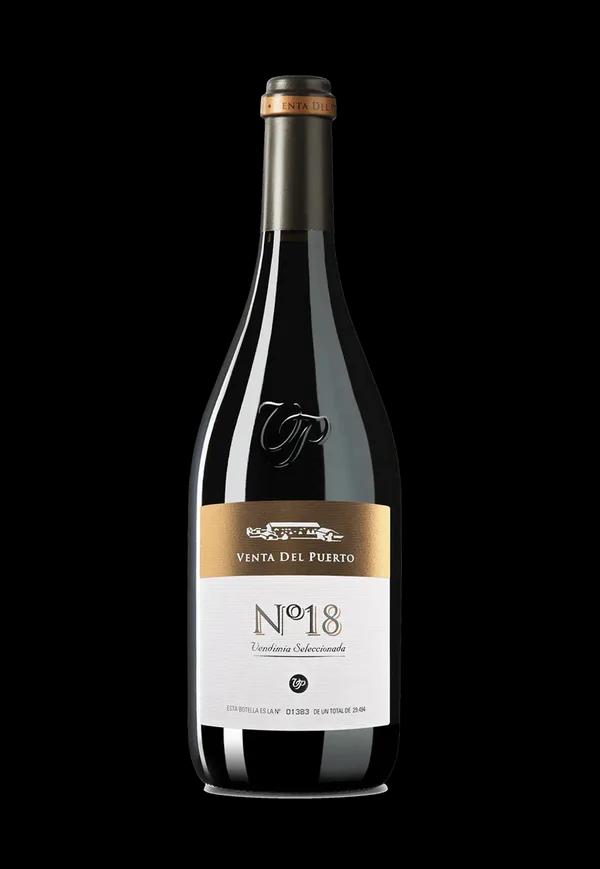
Venta del Puerto Nº18 is a full-bodied Spanish red with dark fruit and subtle oak. It pairs with red meat and aged cheese, making it a good option for that dinner.
From the wine catalog
Venta del Puerto Nº18
Red wine · Dark fruit, spice and oak
Illustrated conversation using approved demo information. Product links open the wine shop; ordering takes place there.
The same conversation can continue across supported embedded and floating placements on one website.
Check the complete visitor path
Test the page, entry point, question, answer and next-step destination together. Keep provider availability, booking confirmation, pricing and purchase authority with their configured systems. Use the existing demo examples for evaluation and scope new workflows around the business's actual sources and tools.